Electronic key management with LoxTop key cabinets
Who is using which key, when was it taken and has it been returned yet? An electronic key cabinet (key management system) keeps track of this for you. Employees log in personally and receive only the keys they are authorised to use.
Axcor supplies and installs LoxTop key cabinets for organisations: from a compact configuration for a single unit to linked cabinets for multiple buildings and locations.
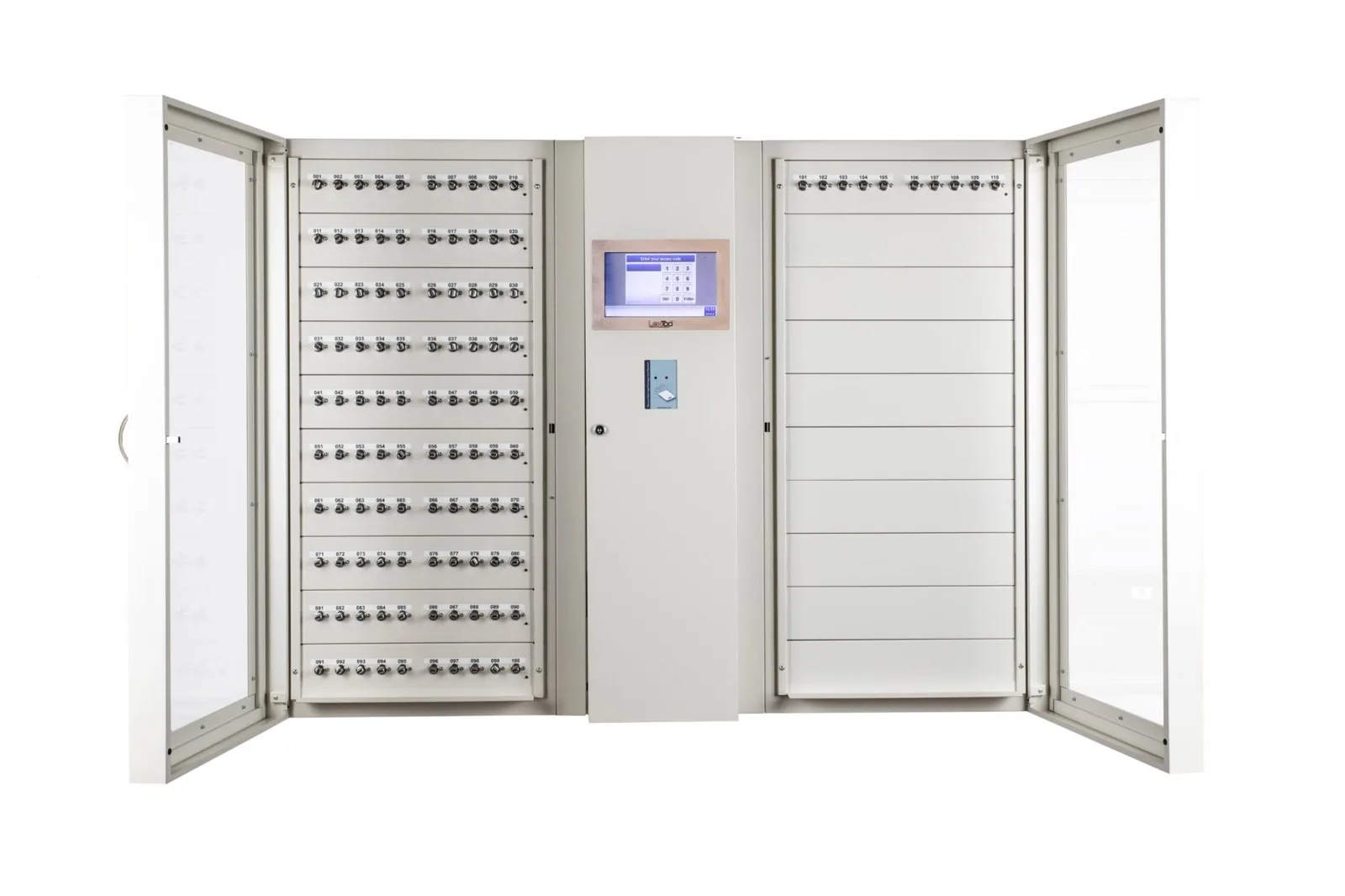
The right key for the right user
Your existing keys are given a controlled place in the system. Each key or key bunch receives a recognisable name, such as a vehicle number, room or technical area.
The user logs in, selects an authorised key and takes it. The system registers the issue and return. The administrator sees which keys are available and who is using the keys that have been removed.
RFID holders for vehicle keys and key bunches
A vehicle key, remote control or key bunch is attached to an RFID key holder with a seal. The chip in the holder gives it a unique identity. This is how the cabinet recognises which holder is removed or returned.
Depending on the chosen setting, the holder can be returned to a fixed position or to any available position.
Sealed key rings: keys and holder stay together
A key or key bunch is attached to the RFID key holder with a cable seal. The cabinet locks this holder and logs who takes it and brings it back.
To remove a key from the holder, the cable seal must be broken or damaged. This leaves visible traces and makes it possible to check for changes to the key bunch.
This is how registration and sealing complement each other: the system tracks the RFID key holder, while the seal helps prevent keys from being removed or swapped unnoticed.
Cylinder positions for matching mechanical keys
With a cylinder position, the key itself is secured in a matching cylinder. After it has been inserted and turned, the key remains locked until an authorised user is permitted to remove it.
This version has a fixed return position: the key goes back into the corresponding cylinder. RFID key holders and cylinder positions can be combined in the same cabinet.
In short: the staff badge identifies the user. The RFID chip in the key holder identifies the key or key bunch.
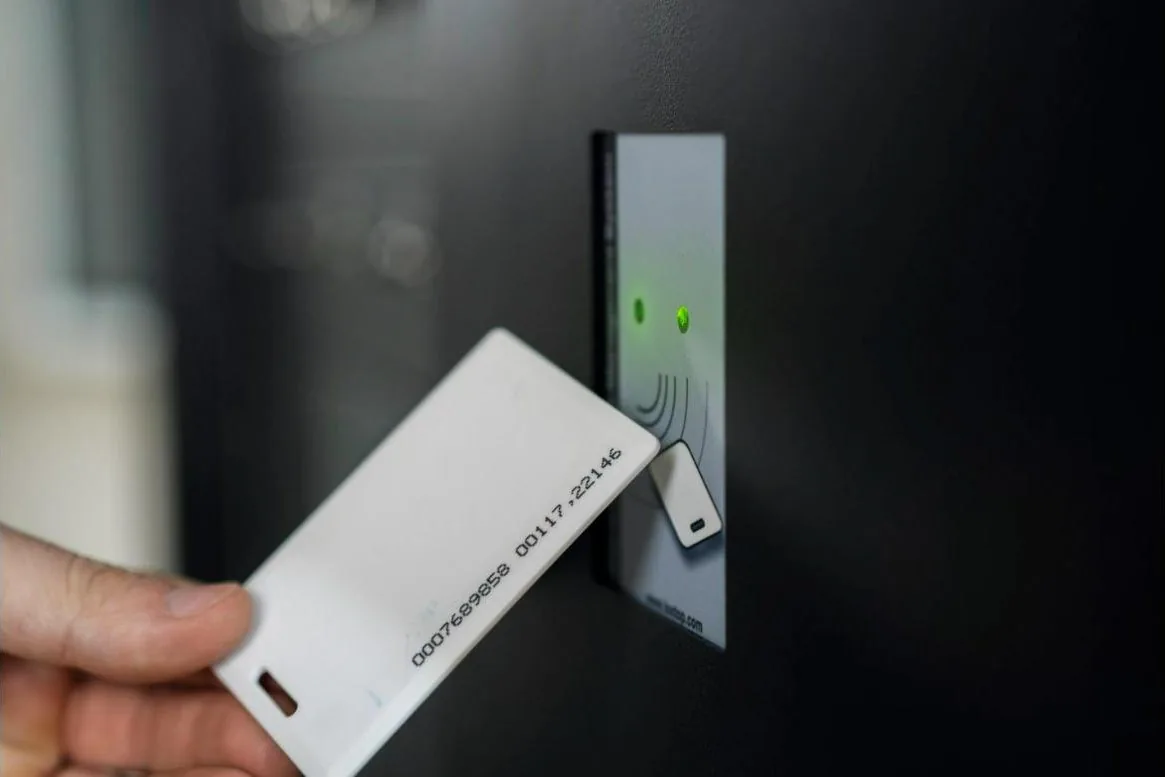
Log in with a badge, PIN code or optional fingerprint reader. A combination of badge and PIN code is also possible.
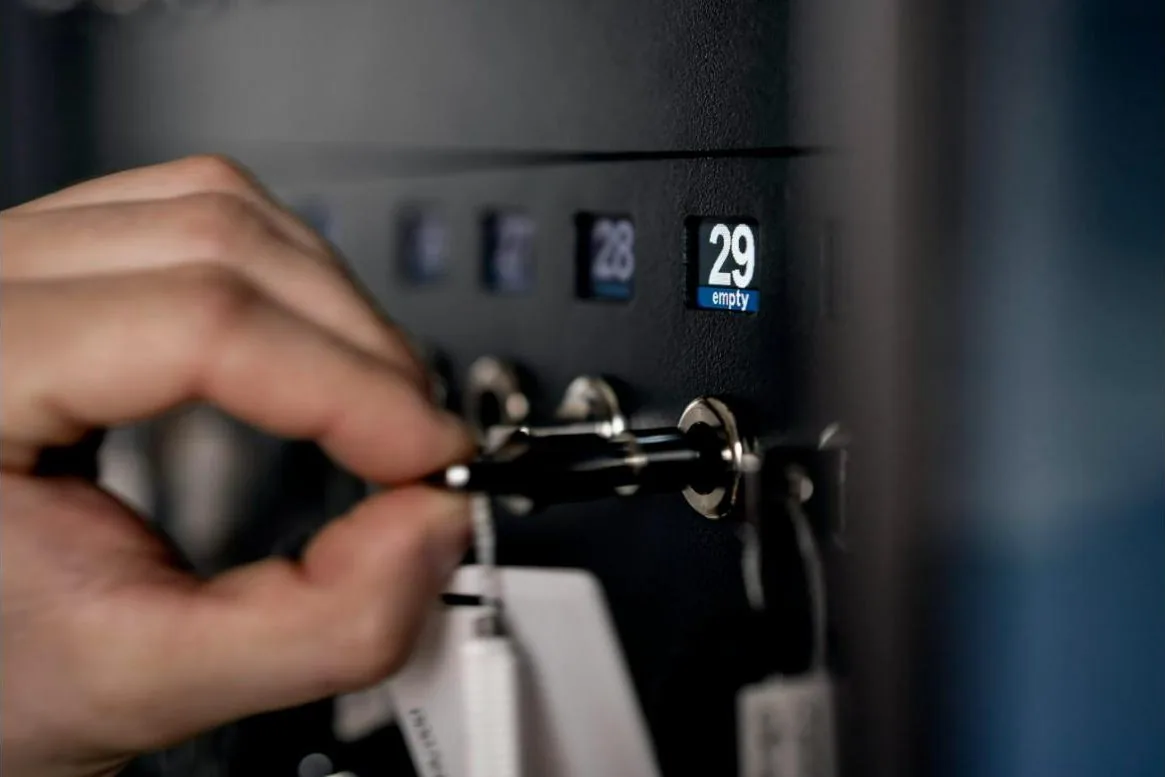
A display at the position provides additional information about the key and its status.
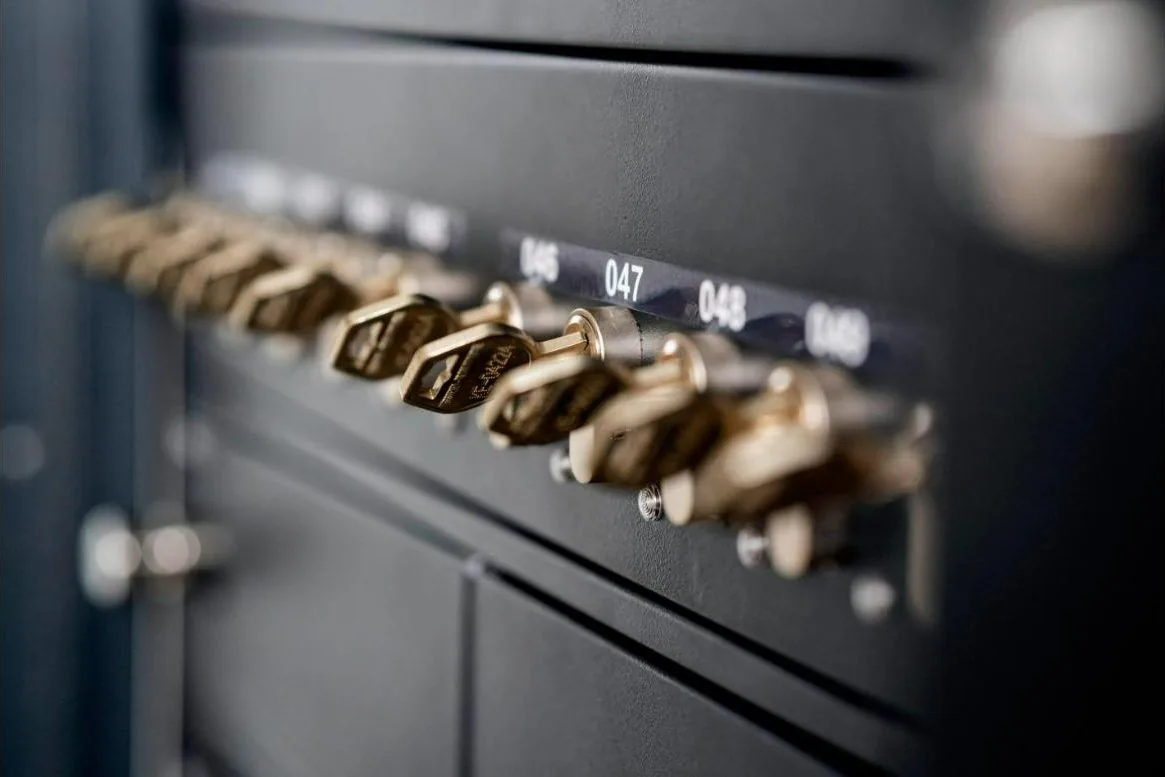
The matching mechanical key is secured in the cylinder and has a fixed return position.
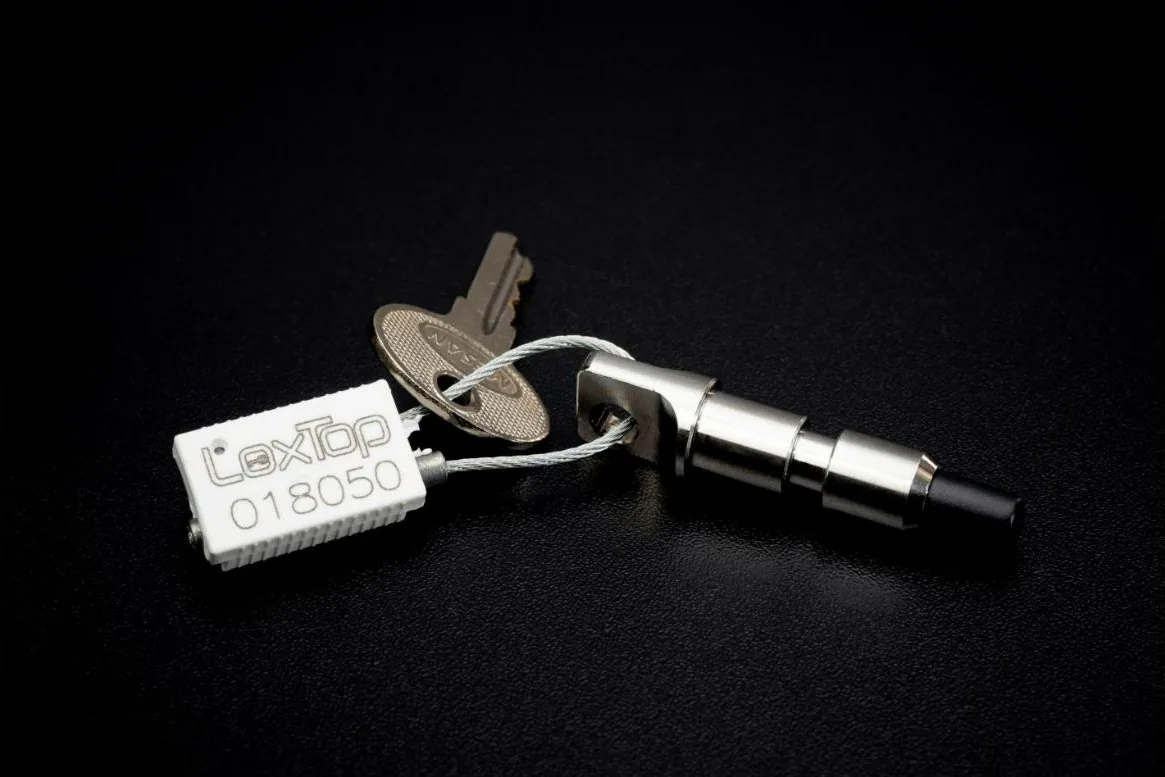
A cable seal connects the keys to the RFID holder. Removing it leaves visible damage to the seal.
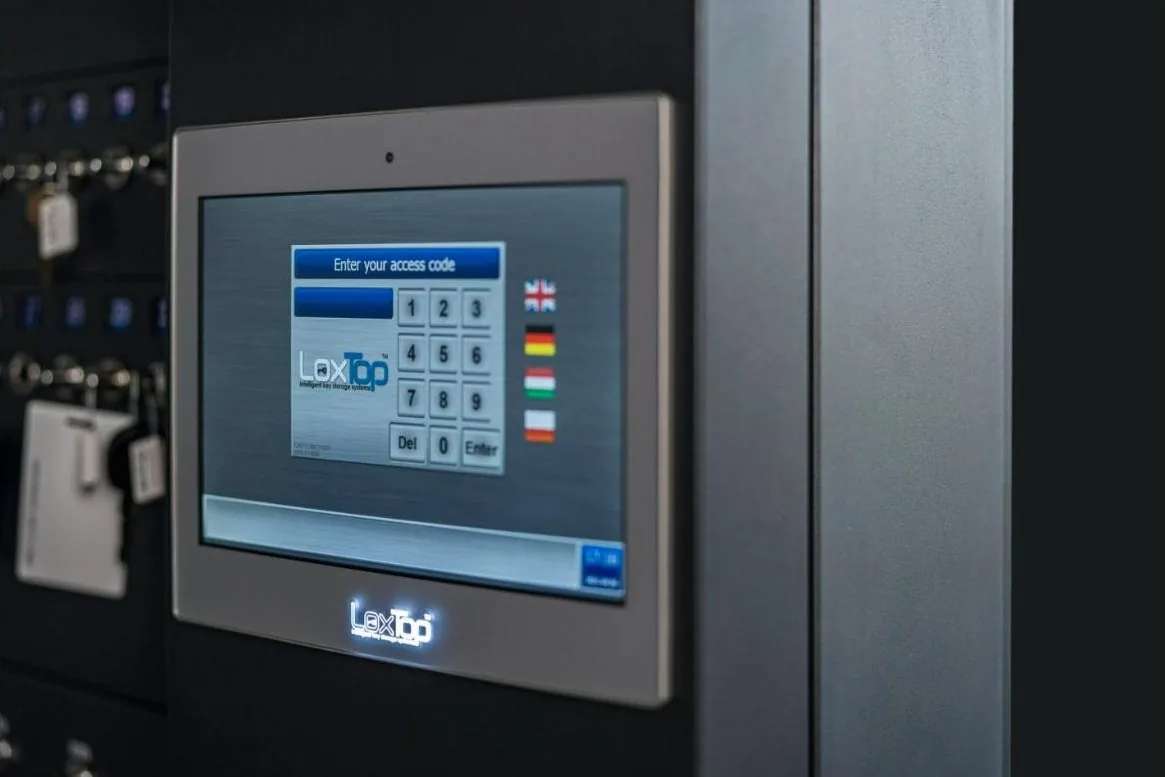
The user selects a permitted key on the screen and sees whether it is available.
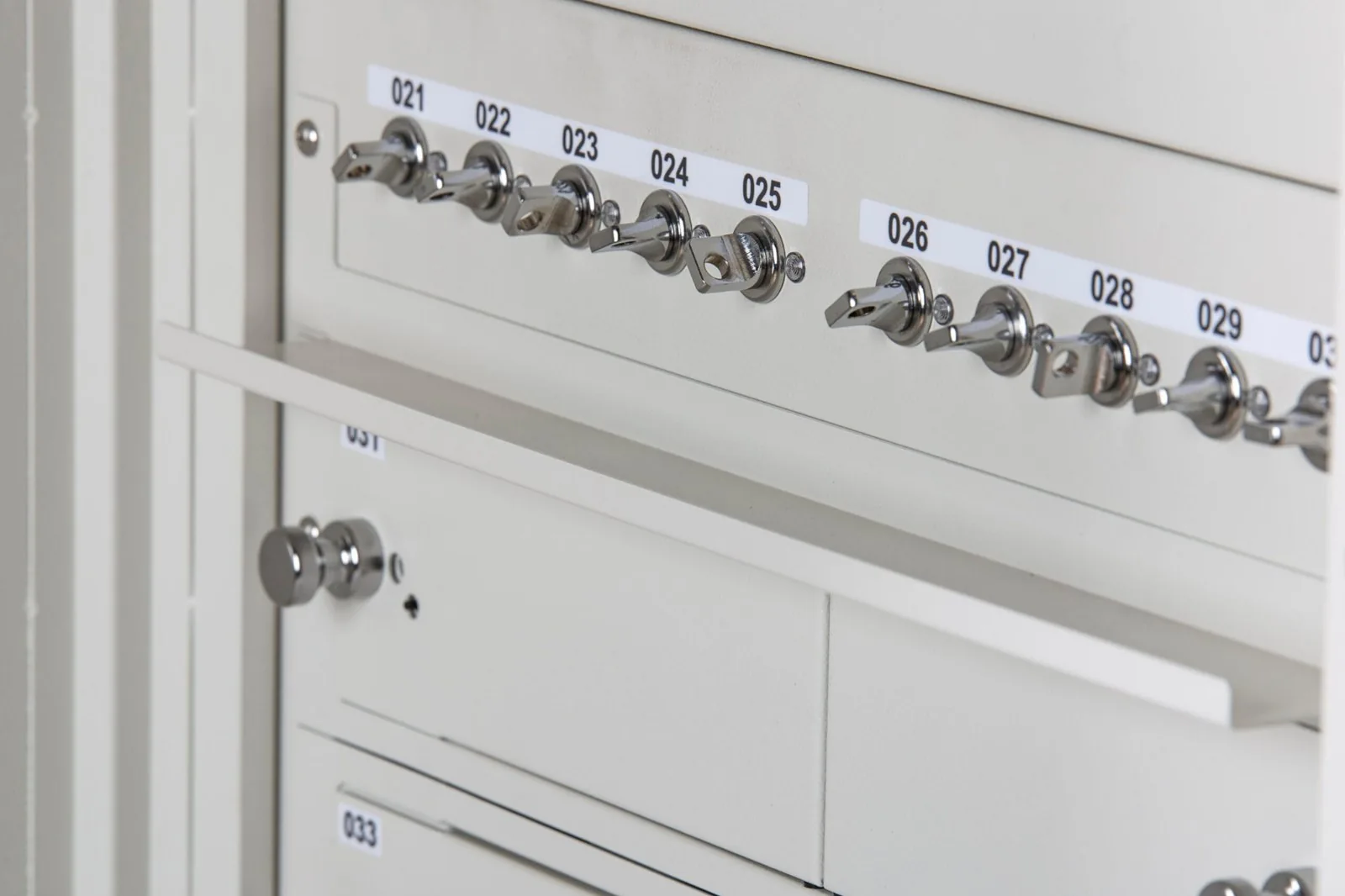
Each position has a number. In the software, the corresponding key is given a clear name, so that users quickly find what they need.
Electronic key cabinets: from a compact wall cabinet to multiple locations
The number of keys, the available space and your issuing procedure determine the configuration. We take into account the types of keys and possible expansion.
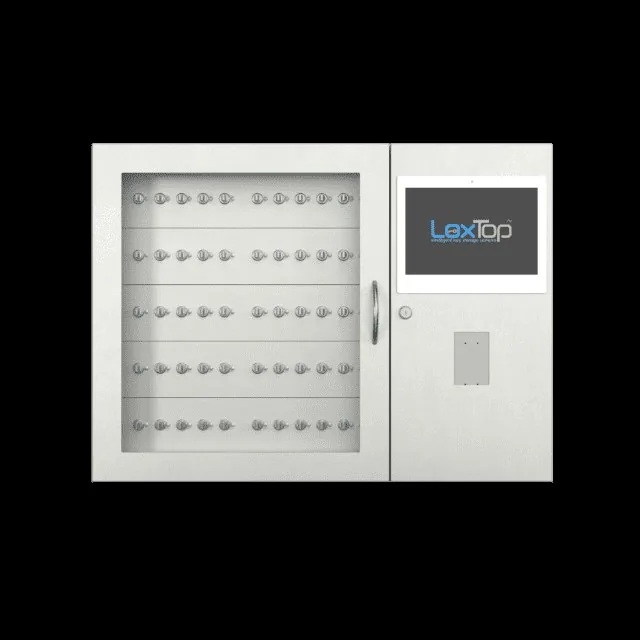
The IQ 50 provides space for 10 to 50 RFID key positions. Suitable for a department, technical service or smaller fleet.
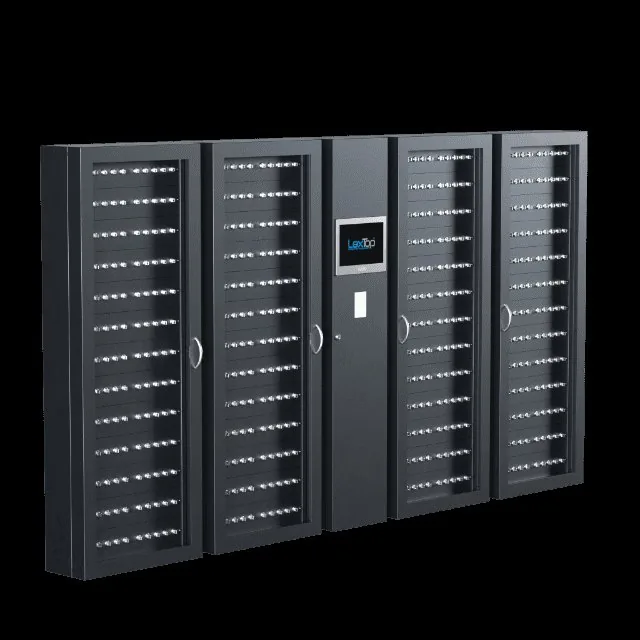
For larger numbers, more spacious versions are available, up to 520 keys in an IQ 520 configuration. Even more keys can be distributed across linked cabinets.
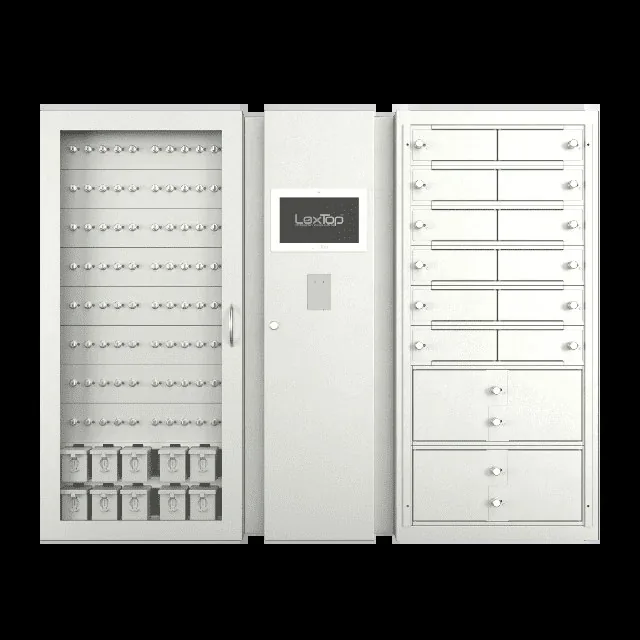
Combine key positions with miniboxes or lockers. This way, badges, cards, documents and other equipment can also be issued within the same management environment.
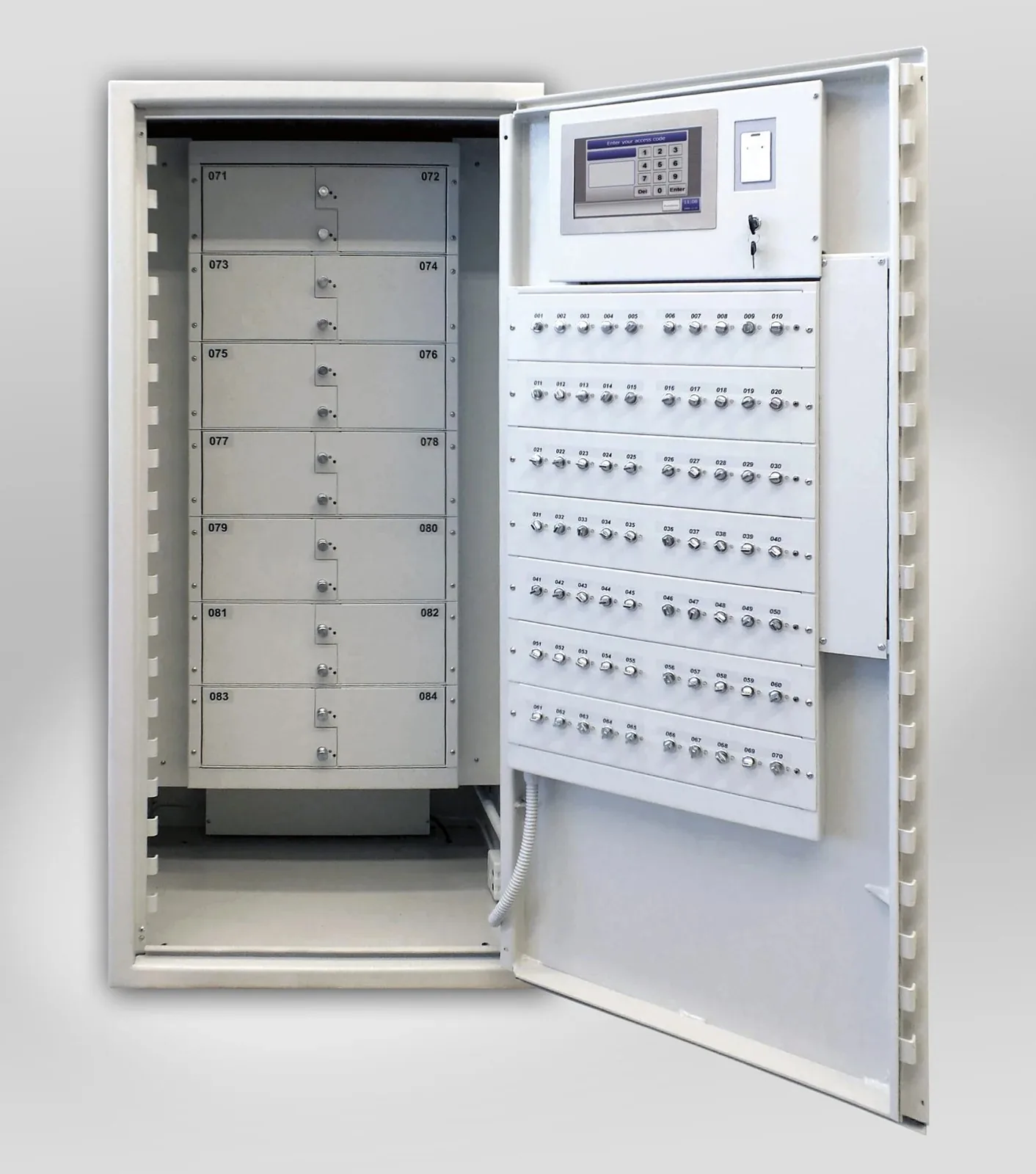
For critical keys, the modules can be integrated into a suitable safe or fire-resistant safe. Example of key positions and separately locked compartments within a safe.
The IQ key cabinets in figures
Six cabinet sizes, one system. Positions you are not yet using can be activated later; several cabinets together form a single system.
| Model | Positions | Width (mm) | Typical use |
|---|---|---|---|
| IQ 50 | 50 | 782 | Department, small fleet, SME |
| IQ 100 | 100 | 782 | Office, school, healthcare department |
| IQ 200 | 200 | 1,132 | Police zone, hospital, dealership |
| IQ 300 | 300 | 1,482 | Large building, local government |
| IQ 400 | 400 | 1,832 | Campus, airport, prison |
| IQ 520 | 520 | 2,515 | Very large installations, central key room |
Controlled issue in four steps
- 1Set the rights
The administrator determines who may use which keys and during which periods. The rights follow the tasks and responsibilities within your organisation.
- 2Personal login
The employee logs in with their badge, PIN code or chosen identification method. The software checks their rights and displays the authorised keys.
- 3Select and take
The employee selects the required key. The corresponding holder or cylinder position is released. The removal is registered with user, key and time.
- 4Return
The employee puts the holder or key back. The system registers the return and updates availability. Where usage periods are set, a notification can follow when a key is returned late.
Overview of your keys
- Access rights per user and per key
- Configurable periods of use
- Reservations for planned work, appointments or vehicle use
- Overview of keys present and removed
- Registration of issue and return
- Event log with filters and download option
- Configurable notifications, for example in the event of late return
- Synchronisation between linked cabinets
Technical data
The key data for your technical department or IT. Expand to view it.
Show the technical specifications
| Capacity | From 10 RFID key positions; up to 520 keys in an IQ 520 set-up. Larger numbers via linked cabinets. |
|---|---|
| RFID key holders | Sealed RFID key holders for vehicle keys and key bunches, among other things. |
| Cylinder positions | Fixed, locked positions for suitable mechanical keys. |
| Identification | PIN code, RFID badge, optional fingerprint reader or a combination. The universal card reader reads 125 kHz and 13.56 MHz, including MIFARE Classic, DESFire EV1/EV2, Ultralight, LEGIC and HID iCLASS; an existing reader can be built in. |
| Operation | Touchscreen on the cabinet and web management via the network. |
| Data storage | Users, rights and events are stored locally. |
| Network | Stand-alone operation or linked cabinets with synchronisation. |
| Housing | Steel cabinet; dimensions, doors and layout according to the chosen version. IQ 100: 782 × 1075 × 200 mm, with or without door, transparent or full metal door. |
| Computer | Industrial PC with SSD and external backup storage, 10.1-inch touchscreen, two Ethernet ports; backup battery for around 45 minutes of operation during a power cut. |
| Software licence | One-off lifetime licence, without annual software licence costs. |
| Warranty | 4 years on the hardware. |
Manage from your workstation
The software runs on the computer in the cabinet itself. You manage the system via the touchscreen or from a web browser on your network. No separate management software needs to be installed on your computer for this.
Via the web interface you manage users and access rights, consult and download the event log, and download database backups. This lets you follow the issue of keys without having to go to the cabinet each time.
For management from a remote location, we agree the secure network access together with your IT manager.
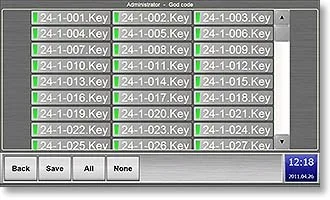
Per user: which keys, which days and hours. From the browser, without installation.
More possibilities with the same system
Your key management can grow with your organisation. Combine keys with closed compartments, add physical protection or link several cabinets within the same management environment.
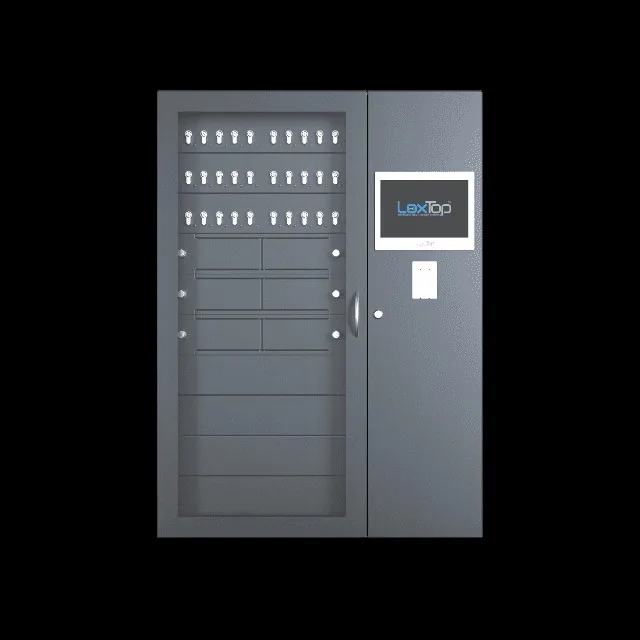
This cabinet combines 24 key positions and 8 closed compartments, and keeps free spaces below where extra compartments or key positions can be added later. Starting as a stand-alone cabinet and later expanding to a network is also possible.
Combining keys and lockers
Add closed compartments for radios, bodycams, tablets or documents. Key positions and lockers can work together in the same cabinet, with their own access rights per key and compartment.
More about electronic lockersKey management in a safe
For critical keys, we can integrate the management modules into a suitable safe, fire-resistant safe or secure room. Together we tailor the layout and physical protection to your application.
More about custom solutions and integrationMultiple cabinets and locations
Distribute your keys across several cabinets and manage users, rights and registration within the same management environment. The cabinets are connected to each other via your network.
More about network and management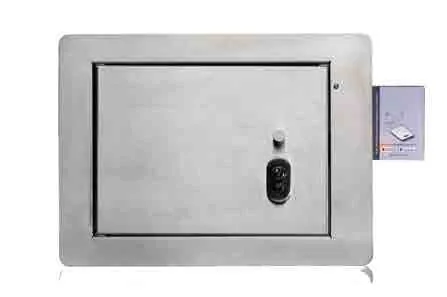
A fixed, secure place for the building keys that the fire brigade needs during an intervention.
Fire brigade key safe: building keys available to the fire brigade
During an intervention, the fire brigade must be able to gain access to your building. The LoxTop fire brigade key cabinet provides a fixed, secure place for the keys intended for that purpose.
The installation and the access procedure are matched to the arrangements with your fire service zone. This keeps the building keys protected and available to intervention teams when needed.
Ordinary key safes and key cabinets
Anyone who mainly wants to store keys securely, without registration per user, chooses a mechanical key safe. Atelier Boonen supplies them for a single key up to more than a thousand keys: from a compact safe with hooks to cabinets with pull-out panels, with key, code or electronic lock.
If the need for control grows, the same safe can later be fitted with LoxTop positions, or we can place an electronic key cabinet next to it.
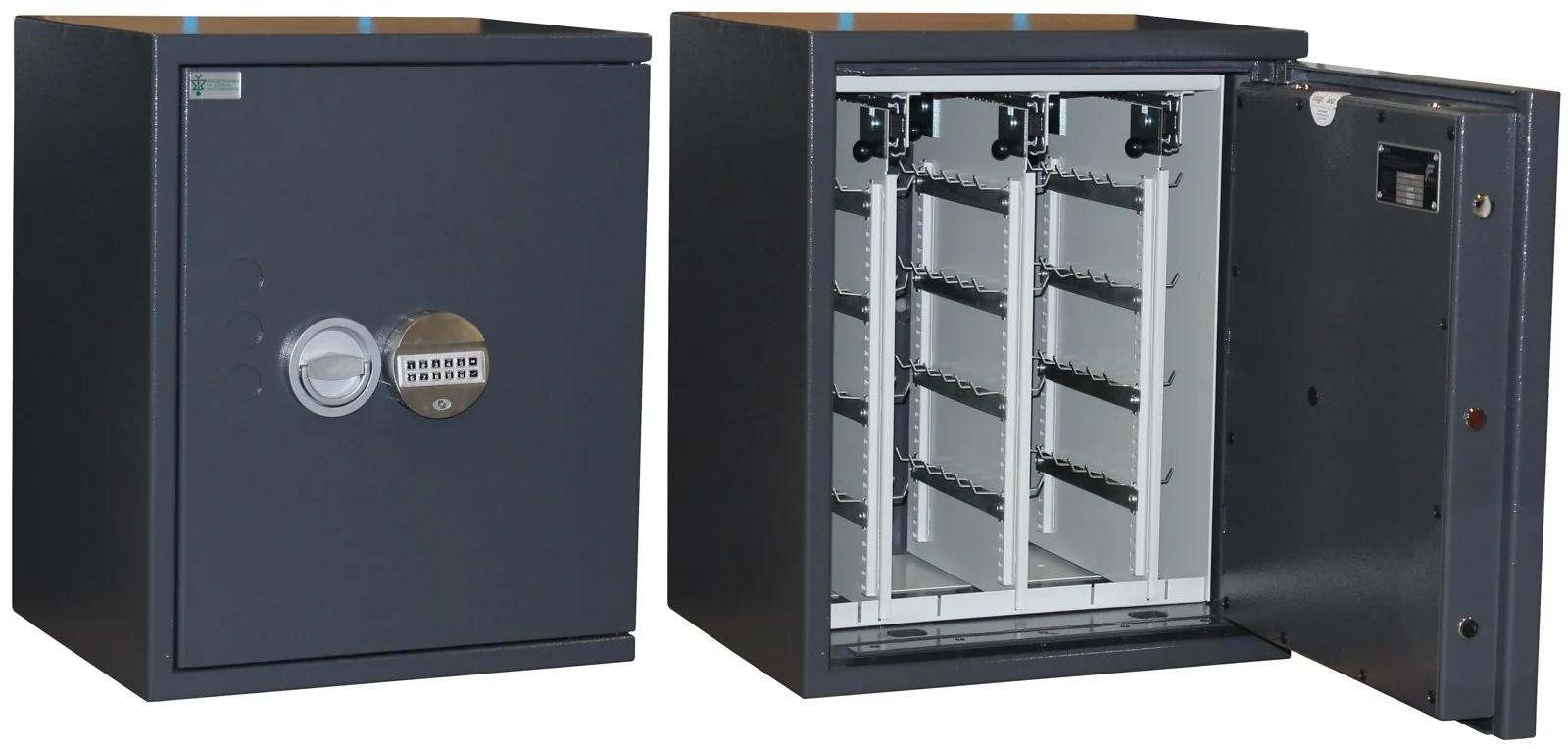
Certified safe with an electronic combination lock and removable hook panels for a few dozen keys.
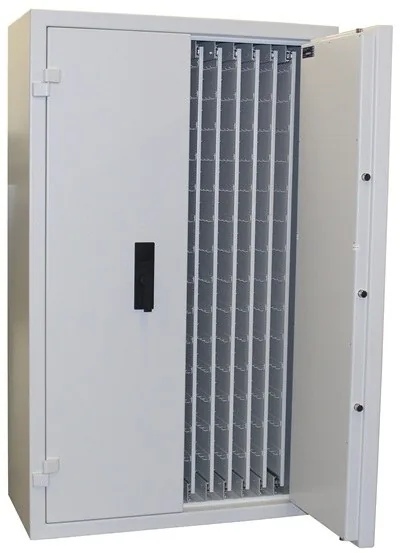
Double-door cabinet with panels on guides, for hundreds to more than a thousand keys.
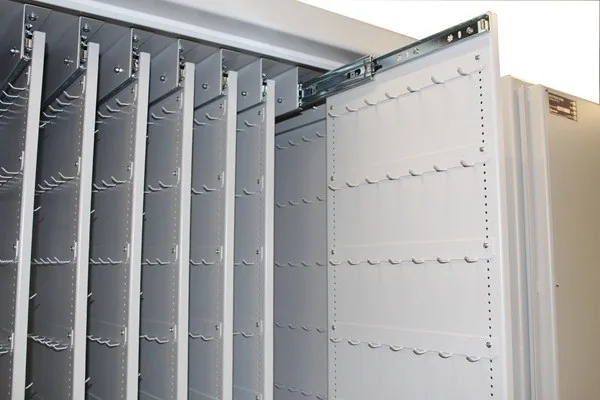
Each panel slides fully out; hooks on both sides, numbered per position.
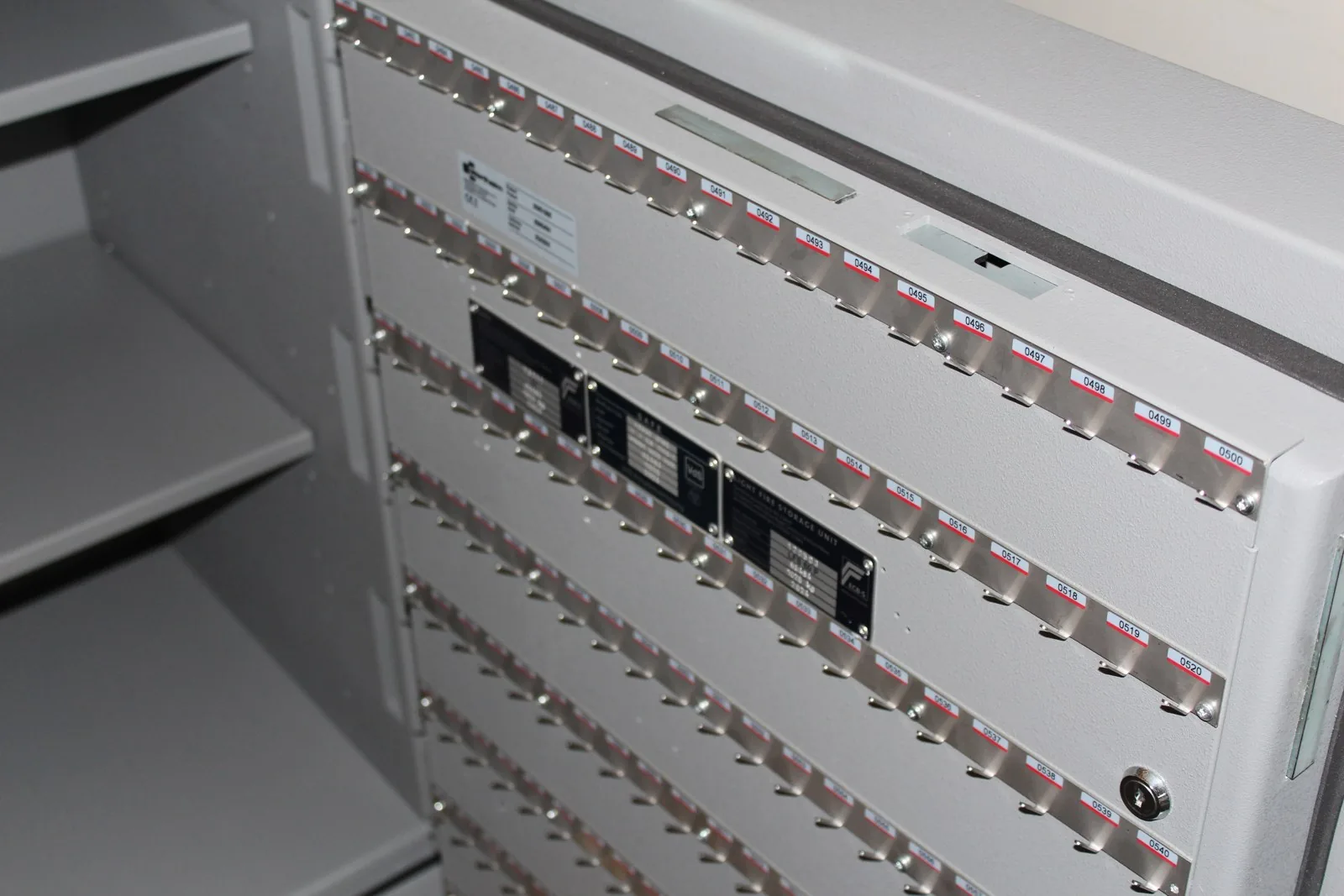
Burglary-resistant safe EN 1143-1 class IV: hundreds of numbered key hooks on the inside of the door, shelves in the cabinet.
Where electronic key management helps
Police, customs and defence
Make vehicle keys, technical keys and keys to secure rooms available in a controlled manner to authorised employees.
Read moreHospitals and healthcare
Managing building keys, technical rooms and service vehicles with changing teams and shift periods.
Read moreCar dealers, rental and fleets
Reserve vehicle keys for test drives, rental or official use, and track their issue and return.
Read moreFacility management, real estate and airports
Issuing keys for buildings and technical installations to your own employees and external maintenance teams.
Read morePractical questions about key management
How many keys can one cabinet manage?
That depends on the model and the layout. The compact IQ 50 offers 10 to 50 RFID key positions. An IQ 520 set-up can manage up to 520 keys. Several cabinets can be linked for larger numbers or different locations.
Can we use our existing badges?
That depends on the type of badge and card reader. We check in advance which reader is suitable and whether your existing staff badges can be used.
Does a key always have to be returned to the same place?
For cylinder positions, however, it does: the key belongs in its matching cylinder. For RFID key holders, depending on the configuration, you can choose between fixed or free return. With free return, the system recognises the holder and registers its new position.
Can I manage the cabinet from another location?
Yes, if your computer has access to the cabinet via a suitable network connection. For external access, we coordinate the secure connection with your IT manager.
Does the cabinet work without internet?
Yes. Logging in, releasing keys and logging operations take place locally. Web management within your local network remains possible as long as that network is available. Email notifications and external access require the corresponding connection.
Are there provisions for a power failure or emergency?
An internal backup battery can temporarily take over operation. In addition, the key modules have an emergency release that is activated with a separate emergency key. The emergency button can then release the positions. We tailor the autonomy, authorisations and emergency procedure to your setup.
Are there annual software licence costs?
The LoxTop software comes with a one-off lifetime licence. There are no annual software licence costs. Additional hardware, links and maintenance are listed separately in the proposal.
Further reading: Choosing an electronic key cabinet · What does a key management system cost? · RFID key holder or cylinder position? · Fire brigade key safe
A key cabinet that suits your organisation
How many keys do you want to manage, who uses them and where are they issued? On that basis, we will develop a suitable configuration, with attention to operation, access rights and physical security.